Specify • AI-assisted plan • generate • preview before purchase • licence • regenerate or edit code for life
THE COMPLETE OMEGA WORKFLOW • IDEA TO LIFETIME EDITING

How Omega Web Pro Turns an Idea into a Website You Can Keep Regenerating and Editing.

Omega Web Pro is not a one-shot prompt-to-template system. You define the website, AI can assist the strategy, Omega builds and validates the production files, the public Builder lets you preview the generated website before purchase, and one paid lifetime domain licence unlocks the long-term workflow. After purchase, return through My Account to regenerate the same licensed website in Builder or edit its supported source files directly in the private Website Editor with a second real-time sandboxed preview, validation, version history and updated licensed ZIP export.

AI-assisted planning Omega-controlled generation Public Builder live preview Lifetime same-domain regeneration Private code-editor live preview Versioned licensed ZIP updates
OMEGA WEBSITE LIFECYCLE● CONTROLLED WORKFLOW
1 • SPECIFICATIONBusiness, audience, pages, design, media, goals and advanced instructions.
2 • AI-ASSISTED PLANGroq strategy when configured, with Omega Local Assist fallback.
3 • OMEGA GENERATIONPure HTML or WordPress through staged production engines.
4 • BUILDER PREVIEWResponsive preview + CSS, JS and image health checks before purchase.
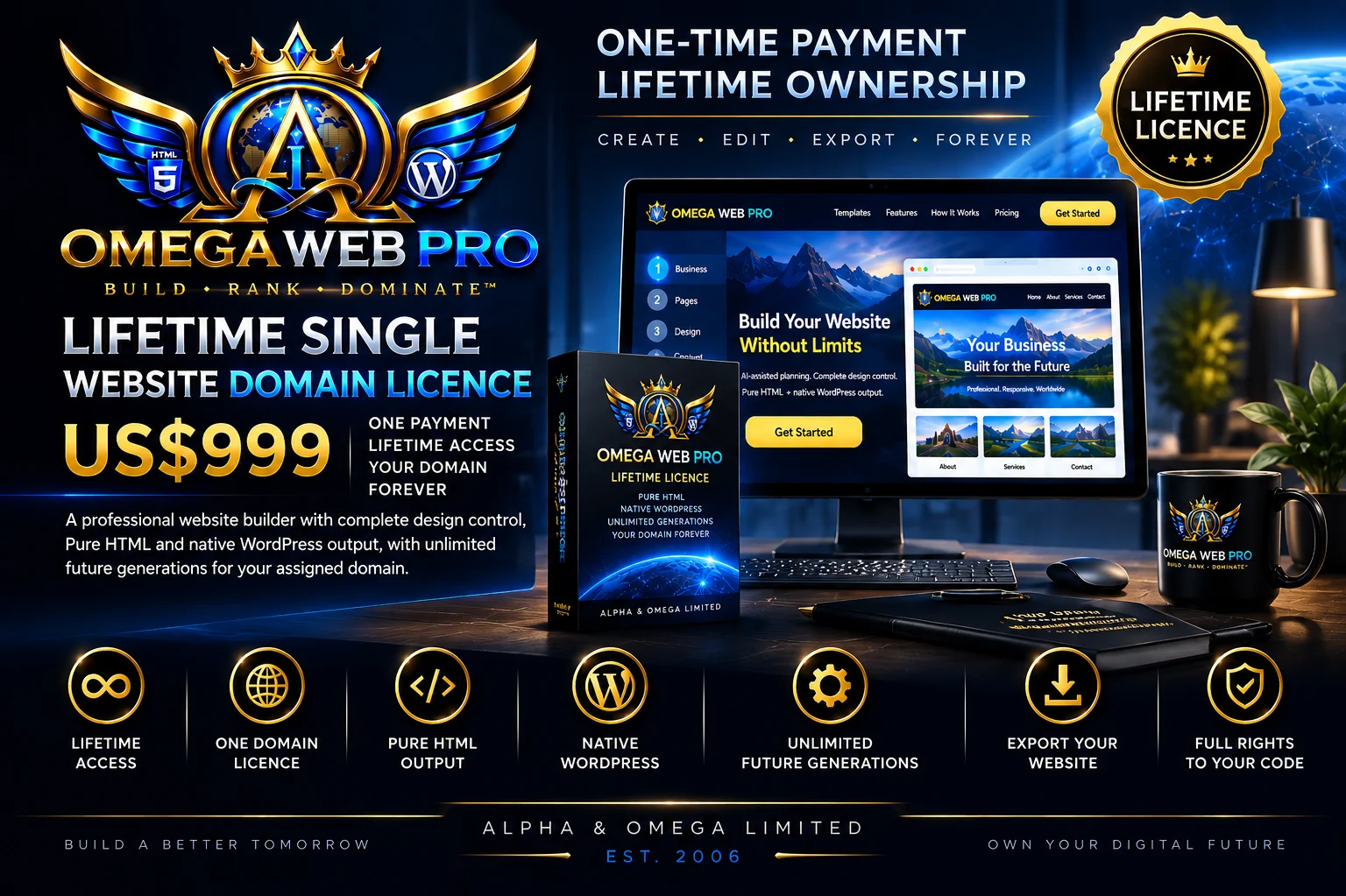
5 • PURCHASE + MY ACCOUNTNZ$999 lifetime single-domain licence, Account ID, Licence ID and Website ID.
6 • LIFETIME CONTROLRegenerate in Builder or edit source code with real-time Website Editor preview.
1Authoritative website specification
2Production targets: Pure HTML + WordPress
2Distinct live-preview workflows
14Website Editor validation responsibilities
Future generations for the same licensed domain

Stage 1 • Specify

01. Start with a real website specification — not just a generic prompt.

The Universal Website Studio can be simple for a beginner or highly detailed for an advanced project. Explicit selections become requirements that later stages must respect.

73

Industry + Business

Choose from 73 industry starting points or define a custom industry, sub-industry and operating model.

105

Page Architecture

Choose from 105 built-in page types, custom page requirements and six repeatable page systems.

120

Site Scale

Build a focused website or a larger controlled architecture up to the current 120-page production limit.

50K

Professional Brief

Add up to 50,000 characters of business rules, project instructions, exclusions, content requirements and technical direction.

Aa

Brand Voice

Define writing tone, terminology, audience level and content direction.

🎨

Design System

Set colour, typography, spacing, widths, navigation, heroes, cards, buttons, imagery and motion.

🌍

Markets + Geography

Define countries, regions, cities, service areas and local, national or international scope.

ZIP

Supporting Material

Controlled TXT, Markdown, HTML, HTM, XML and ZIP project material can supplement the Builder specification.

Stage 2 • Normalize

02. Omega turns every Builder input into one authoritative project brief.

The purpose of normalization is to stop later engines from independently guessing different versions of the same project.

1

One Source of Truth

Business identity, audience, geography, architecture, content, design, media, functionality and platform target travel together through the build.

Explicit Choices Stay Authoritative

If the customer selects a page, colour, hero, navigation treatment or other controlled option, that selection remains a production requirement.

AUTO

Auto Fills the Gaps

Choices intentionally left on Auto can be refined by the planning layer using the rest of the normalized project context.

Stages 3–4 • AI-assisted planning + validation

03. AI assists strategy. It does not become the production-code authority.

Omega retains the full specification and can send a smaller structured strategy request to Groq. The returned planning data must pass Omega validation before it can influence production.

Compact Strategy Request

AI focuses on positioning, design direction, content emphasis, CTA strategy, image allocation and search intent instead of receiving instructions to generate an entire production codebase.

JSON

Structured Planning Response

The planning layer returns constrained structured strategy rather than unrestricted HTML, CSS, JavaScript, PHP or deployment commands.

Plan Validation

Malformed, incompatible or unusable planning data is rejected before production.

Ω

Omega Local Assist

If the external provider is unavailable, rejected, rate-limited or unusable, the deterministic fallback can continue through the same production workflow.

No Final Code from Groq

Omega's own renderers remain responsible for the generated website files.

1

One Validated Site Plan

After planning, Omega resolves the shared production plan that coordinates the rest of the system.

CUSTOMER SPECIFICATION → normalize → AI-assisted strategy → validate → OMEGA AUTHORITATIVE SITE PLAN

Stage 5 • Controlled production

04. Omega expands the validated plan into the actual website.

Large projects advance through checkpoints rather than one oversized server request. Architecture, media, pages, finalization, platform packaging and preview each have defined jobs.

1

Initialize

Create the temporary project workspace and resolve shared production state.

2

Process Media

Validate uploaded logo/images and build responsive production families.

3

Generate Pages

Produce the requested architecture progressively in controlled batches.

4

Finalize

Complete supporting files, links, site-wide assets and deployment material.

5

Validate

Run platform and quality gates against the generated project.

6

Publish Preview

Expose the generated project through controlled preview delivery rather than direct workspace browsing.

Continuation Recovery

Temporary continuation failures can be retried without automatically discarding a substantial build.

🔒

Private Temporary Workspace

Generation infrastructure remains outside the ordinary public website directory.

Stage 6 • Production target

05. One validated specification branches into Pure HTML or native WordPress.

The platform branch happens deliberately at production. Both paths receive the same authoritative business, architecture and design requirements but generate different platform-appropriate files.

Pure HTML path

Portable HTML5 website production

  • Semantic HTML pages
  • Local CSS architecture
  • Vanilla JavaScript
  • Responsive media
  • SEO/schema support files
  • Sitemap, robots and llms.txt support
  • Portable deployable ZIP
  • No required Omega hosting
Explore Pure HTML production →
WordPress path

Dedicated native WordPress production

  • Separate WordPress-aware renderer
  • Block / Site Editor / classic PHP architecture where appropriate
  • Theme files and generated content material
  • Setup/import and installer support
  • WordPress-native form handling
  • WordPress-specific validation
  • Generated WordPress package ZIP
  • Customer-selected compatible hosting
Explore WordPress production →

Stage 7 • Media production

06. Uploaded images become responsive website assets.

The image system validates media, avoids unnecessary upscaling and produces platform-ready responsive derivatives and icon families.

12

Logo + Supporting Images

Use real uploaded branding and supporting website imagery across the project.

AVIF

Modern Formats

Responsive image production can include AVIF, WebP, JPEG and PNG.

No Unnecessary Upscaling

Derivative widths are limited by the available source dimensions.

ICO

Favicon + ICO Families

Create favicon.ico, PNG favicons, Apple touch icons, Android assets and multi-resolution ICO output.

Stage 8 • Quality gates

07. The generated website is audited before delivery.

Build-time quality checks evaluate the generated structure and assets. They are useful production-readiness signals and are deliberately not misrepresented as a deployed real-world Lighthouse result.

SEO Readiness

Titles, descriptions, H1 structure, canonical URLs, Open Graph data, JSON-LD and crawl-support files.

Accessibility Readiness

Landmarks, heading structure, image alternatives, skip links and accessible names.

Performance Readiness

Asset locality, image dimensions, responsive media, payload expectations and CSS/JavaScript structure.

Security Readiness

Unsafe patterns, remote-script concerns, path handling, generated output and platform-specific hardening expectations.

Stage 9 • Public Builder live preview

08. Preview the generated website before purchasing it.

The first live-preview system belongs to Builder. It exists so a visitor can generate a project and inspect the actual website before deciding to buy the lifetime domain licence.

Desktop / Tablet / Mobile

Inspect the generated project across responsive preview modes.

🔑

Controlled Preview Delivery

Temporary preview delivery uses project-specific access controls instead of exposing private generation workspaces directly.

CSS

CSS Health

The generated stylesheet must be available to the preview.

JS

JavaScript Health

The generated JavaScript asset must load successfully.

IMG

Image Health

Generated image delivery is checked before the purchase/export path can advance.

Build Before You Buy

The customer can inspect the generated website first. The paid boundary is the lifetime licence and protected licensed export.

Stage 10 • Purchase + secure Stripe Checkout

09. The exact generated project and normalized domain move into the licence workflow.

Once the generated site is ready, the customer starts secure Stripe Checkout for the exact pending order. Payment is verified server-side before a paid licence is issued.

1Purchase This Website
2Pending Order
3Stripe Checkout
4Server Verification
5Licence + Website ID
6Customer Account
NZ$

NZ$999 One-Time

The purchase creates one Lifetime Single Website Domain Licence for one permanently assigned normalized website domain.

🔒

Permanent Licence Identity

Account ID, Licence ID, Website ID and licensed domain form the permanent ownership relationship.

Purchase-Created Account

There is no public account-registration flow. The first successful purchase creates the customer account and secure setup process.

Stage 11 • My Account

10. My Account becomes the lifetime control centre for purchased websites.

One customer account can hold multiple separately purchased domain licences. Each licensed website remains permanently tied to its own Licence ID, Website ID and domain.

Stage 12 • Lifetime same-domain control

11. One purchased licence gives the same website two lifetime editing paths.

The customer is not locked into only Builder and is not forced into only code editing. Both workflows remain available for the same permanently licensed website.

Path A • Builder

Regenerate or redesign the same licensed website

  • Return through My Account
  • Reopen supported project data in Builder
  • Change supported website specification settings
  • Choose Pure HTML or WordPress again
  • Generate another same-domain version
  • Use responsive Builder preview
  • Download the new licensed ZIP
  • No second NZ$999 licence for the same permanent domain
Path B • Website Editor

Edit the actual licensed project source files

  • Open Edit Website Code from My Account
  • Select only websites owned by that paid customer account
  • Browse project filenames
  • Edit supported source files directly
  • See valid changes in the second real-time sandboxed preview
  • Use validation and version history
  • Validate the entire licensed project
  • Generate an updated signed licensed ZIP

Stage 13 • Private Website Editor

12. Direct code editing runs through its own live validation and preview boundary.

The Website Editor treats customer-edited code as untrusted project data. It is confined to the authenticated customer's licensed Website ID and private project workspace rather than being allowed to modify Omega application files.

</>

Project File Selection

The selected purchased website loads its own project file list. Opening a supported file loads the full source into the editor. Previewable HTML pages load into the preview; non-previewable files remain editor-only.

Second Real-Time Live Preview

Valid current edits are mirrored into the sandboxed preview beneath the editor so the customer can inspect desktop, tablet and mobile behavior while changing the code.

×

Exact-Line Error Feedback

New blocking issues are reported with the responsible validation area and line number, and the affected editor line is visibly marked.

Preview + Save Blocking

Newly introduced blocking syntax, malformed-data, security or protected-domain issues are prevented from entering Live Preview or Save until corrected.

Versioned Revisions

Accepted saves create version history so the licensed project has a controlled revision trail.

🔒

Permanent Domain Protection

The licensed root host remains protected while legitimate internal page filenames and canonical paths can change under that same domain.

14 live-validation responsibilities: Website Specification, Brief Normalizer, AI Planning, Plan Validation, Site Architecture, Content Conversion, Design System, Image Engine, SEO + Schema, Accessibility, Forms + Backend, Deployment, Quality / Metrics and Final Validation.
CUSTOMER TYPES CODE

inert editor buffer

live syntax + security inspection

blocking issue? YES → exact line marker + reason + Preview blocked + Save blocked
NO ↓
sandboxed real-time preview

server-side validation again

licensed-domain + account + Website ID checks

VERSIONED SAVE TO AUTHORIZED PROJECT ONLY

Stage 14 • Validate + export updated licensed website

13. The lifetime workflow ends with real website files — again and again.

Whether the customer regenerated through Builder or directly edited code in Website Editor, Omega can produce an updated licensed website ZIP for the same permanent domain when the required checks pass.

Whole-Project Validation

Validate the licensed website rather than relying only on the currently open file.

ZIP

Updated Signed Licensed ZIP

Generate the updated project package with protected licence/project identity used by future same-domain workflows.

Deploy Independently

The generated site's continued operation does not require Omega hosting. Deploy to a compatible environment for the chosen platform.

1Specify
2Generate
3Preview
4Licence
5Regenerate or Edit
6Validate + Export

Common workflow questions

The details that matter once you understand the full lifecycle.

Can I really build and preview before paying?

Yes. Builder generation and responsive preview occur before the first lifetime domain licence purchase. The protected licensed export and permanent lifetime entitlement are the paid boundary.

After purchase, can I still use Builder?

Yes. The same licensed website can return through the Builder workflow for future supported redesigns and generations without buying the same domain licence again.

What is different about Website Editor?

Website Editor is the direct source-code workflow for purchased licensed Website IDs. It has its own real-time sandboxed preview, exact-line validation feedback, version history and save/export checks.

Why are there two live previews?

They solve different problems. Builder preview is for generated website inspection. Website Editor preview is for direct source-code editing after purchase.

Can I switch between Pure HTML and WordPress later?

The lifetime licence includes both supported production platforms for the same permanent licensed domain, so future generations can choose the appropriate supported target.

Can the code editor change the purchased domain?

No. The permanent licensed host remains protected. Internal page filenames and paths can change while remaining under that same licensed domain.

What happens to abandoned Stripe checkouts?

Pending unpaid orders appear in My Account. The customer can proceed to the existing open Stripe Checkout Session or delete the abandoned pending order. Paid purchases and issued licences are protected from that control.

Do I have to host the website with Omega?

No. The generated website package is the deliverable. The customer deploys it to a compatible environment for Pure HTML or WordPress.

Specify • Plan • Generate • Preview • Licence • Regenerate • Edit Code • Validate • Export

That is the complete Omega Web Pro workflow.

Start with a simple idea or a professional specification. Preview the generated website before purchase, then keep control of the same licensed website for life through Builder and the private Website Editor.